What is a USB-C cable? Everything you need to know
You use a USB-C cable for charging devices, transferring data, and—if the cable supports it—transmitting video. Nowadays, you can find USB-C on smartphones, tablets, laptops, power banks, monitors, and many other electronic devices.
But what exactly is a USB-C cable? More importantly: which USB-C cable do you need for what you want to use it for?
After all, not every USB-C cable offers the same capabilities. One cable may be perfectly suitable for charging a smartphone, while a laptop, fast data transfer, or connecting a monitor may require different specifications.
In this article, we explain what USB-C is, the differences between USB-C cables, and what to look for when choosing the right cable.
What is a USB-C cable?
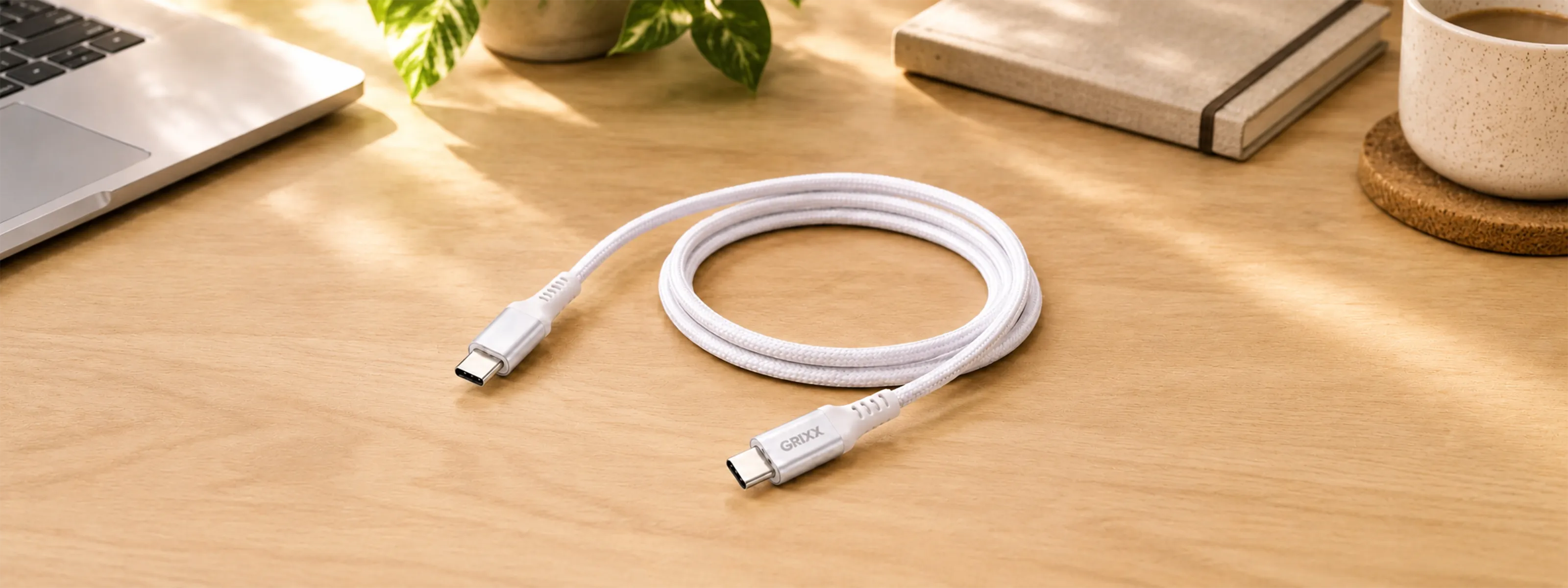
A USB-C cable is a cable with a small, oval, symmetrical USB-C connector. The connector is reversible, so it does not matter which way you insert the plug into the USB-C port.
USB-C can be used for various purposes:
- charging smartphones, tablets, and laptops;
- fast charging via USB Power Delivery (PD);
- transferring files and other data;
- connecting devices such as power banks and external SSDs;
- transferring audio and video;
- connecting a laptop to a monitor.
But this is also where confusion often arises: USB-C mainly indicates which type of connector is used. It does not automatically mean that every USB-C cable supports all these functions.

Not every USB-C cable is the same
On the outside, two USB-C cables can look almost identical, while their technical capabilities can be very different.
For example, a USB-C cable can differ in:
- maximum charging capacity (wattage);
- support for USB Power Delivery;
- data transfer speed;
- support for video output.
That is why the most important question when buying a USB-C cable is not just “Does this cable fit my device?”, but above all:
“What do I want to use the USB-C cable for?”
Based on this, you can determine which specifications you need.
Which USB-C cable do I need?
Which USB-C cable you need depends on the device and what you want to use the cable for.
| Use | What should you pay particular attention to? |
|---|---|
| Charging a smartphone | Sufficient wattage |
| Fast-charging a smartphone | Wattage + supported charging protocol |
| Charging a tablet | Wattage |
| Charging a laptop | Sufficient wattage + USB Power Delivery |
| Transferring photos and files | Data transfer speed |
| Connecting an external SSD | High data transfer speed |
| Connecting a monitor | Video support |
| One cable for multiple applications | Wattage + data speed + video |
So start by considering how you will use it, then choose the USB-C cable with the right technical specifications.
USB-C cable wattage: how many watts do you need?
The wattage of a USB-C cable indicates how much electrical power the cable can transfer at most. This is especially important when you use the cable for charging.
A smartphone generally requires less power to charge than a laptop. USB-C cables can therefore support different maximum power levels, for example:
- 20 W;
- 60 W;
- 100 W;
- 240 W.
The wattage you need is determined by the device you want to charge.
USB-C cable for smartphone
Do you mainly use the USB-C cable to charge a smartphone, earbuds, power bank, or another mobile device? Then you usually do not need a cable with a very high power rating.
Want to fast-charge your smartphone? Check which charging power and charging protocol your phone supports. The charger must support them as well.
A cable that supports up to 60 W or 240 W does not automatically deliver that full amount of power to your phone. The device and charger determine together how much power is used.
USB-C cable for laptop
A laptop generally requires more power than a smartphone. Therefore, when choosing a USB-C cable for a laptop, the maximum wattage is especially important.
Check how much power your laptop requires and choose a cable that supports at least the required power.
The USB-C charger must also be able to supply sufficient power. A cable that supports up to 240 W combined with a 30 W charger will therefore not suddenly provide 240 W of charging power.
What is USB Power Delivery (PD)?
USB Power Delivery, usually abbreviated to USB PD, is a technology that allows devices to use higher power levels flexibly via USB-C.
The charger and connected device communicate with each other to determine the appropriate charging power.
For fast charging laptops, tablets, and smartphones, support for USB Power Delivery is therefore an important feature to look for.
USB Power Delivery can support power levels of up to 240 W, provided that the cable, charger, and connected device are suitable for this.
Can every USB-C cable transfer data?
USB-C cables can be used for data transfer, for example to copy photos and videos from a smartphone to a computer or to connect an external SSD.
But here too: not every USB-C cable supports the same data speed.
Some cables are primarily intended for charging and offer only a limited data speed. Other USB-C cables are specifically designed for fast data transfer.
Do you regularly work with large files or a fast external SSD? Always check the cable's supported data speed.
More watts do not automatically mean faster data
This is an important distinction.
Wattage and data speed are two different specifications.
A USB-C cable with a high maximum charging capacity does not necessarily support a high data speed.
If you are choosing a cable for data transfer, do not look only at the wattage, but also at the specified data speed.
Can every USB-C cable transmit video?
No. Not every USB-C cable is suitable for video.
This is especially important when you want to connect a laptop, tablet, or another device to a monitor via USB-C.
The fact that a cable has a USB-C plug on both ends does not automatically mean that it can transmit video signals. For video, both the cable and the USB-C ports of the connected devices must support the required video function.
As a result, a basic USB-C cable may be perfectly suitable for charging your smartphone, but unsuitable for connecting your laptop to a monitor.
Want to use a USB-C cable for a monitor? Check explicitly whether the cable supports video.
USB-C to USB-C cable: when do you need one?
A USB-C to USB-C cable has a USB-C connector at both ends.
This type of cable is used, for example, for:
- charging smartphones;
- fast-charging tablets;
- charging laptops;
- connecting power banks;
- data transfer;
- connecting an external SSD;
- connecting a monitor, if supported.
The same applies to a USB-C to USB-C cable: the connector alone does not indicate what the cable can actually do.
Two USB-C to USB-C cables can look almost identical, while one is primarily intended for charging and the other supports charging, fast data transfer, and video.
What is the difference between USB-A and USB-C?
USB-A is the familiar rectangular USB connector that was used for years on computers, chargers, and other devices.
USB-C has a smaller, oval-shaped connector and is reversible.
| Feature | USB-A | USB-C |
|---|---|---|
| Shape | Rectangular | Oval |
| Reversible | No | Yes |
| Compact | Less | Yes |
| Charging | Yes | Yes |
| Data | Yes | Yes |
| High charging capacities possible | More limited | Yes |
| Video possible | Not via standard USB-A | Yes, if supported |
USB-C therefore offers more possibilities, but which of these are actually available is determined by the specifications of the cable, port, and connected devices.
Apple USB-C cable: what should you look out for?
Apple uses USB-C for various devices, including recent iPhones, iPads, and MacBooks.
Are you looking for a USB-C cable for an iPhone, iPad, or MacBook? Then don't look only at the USB-C connector.
For an iPhone, a cable with a relatively low charging capacity may be sufficient, while a MacBook may require considerably more power.
Do you want to connect a MacBook to an external monitor or transfer large amounts of data? Then you should also check support for data and video.
How do you choose a good USB-C cable?
A good USB-C cable is not automatically the cable with the highest wattage or the highest data speed. The best cable is above all the cable that is suitable for your application.
Therefore, check the following before purchase:
-
What do you want to use the cable for?
Charging only, or data and video as well? -
What wattage do you need?
Check the required charging power of your device. -
Do you want fast charging?
Check whether the cable, charger, and device support the required charging protocol. -
How important is data speed?
For example, for an external SSD, a high data speed is more important than when you only use the cable for charging. -
Do you want to connect a monitor?
Explicitly check whether video is supported. -
How good is the cable's quality?
A cable is connected, disconnected, bent, and carried around every day. Construction and durability are therefore also important.
At Grixx, we test cables for durability, tensile strength, and charging performance, among other things.
In summary: which USB-C cable should you buy?
USB-C is a versatile connector for charging, data, and—when supported—video. But not every USB-C cable has the same specifications.
Therefore, first determine what you want to use the cable for.
For charging a smartphone, a simple USB-C cable may be sufficient. For a laptop, the maximum wattage is more important. If you want to transfer large files quickly, look at the data speed. And if you want to connect a monitor, check whether the cable supports video.
So don't look only at the USB-C connector, but at the combination of wattage, data speed, and video support you actually need.